
You’re likely on this page because you can’t login or find your course profile page. If that’s the case, I apologize (if it’s not, quit screwing around here, and get to work on your course!)
Follow the instructions below. If at any point, you hit a wall, contact support@threestormfitness.com for help.
Reset Password (or set password if you’ve never logged in)
1: Visit the Login page to reset your password. Click Lost your password? (I know you didn’t actually lose it…just stay with me here).
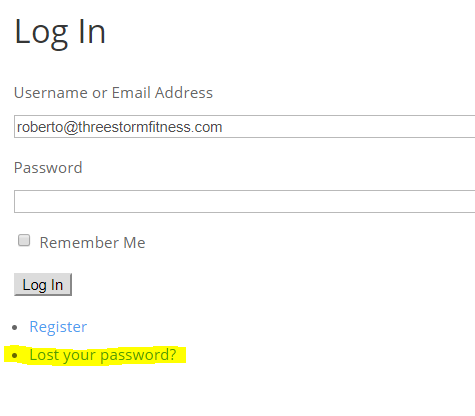
Click “Lost your password”.
2: Enter the email address you used to buy the course in the Username or Email Address field then click Get New Password.
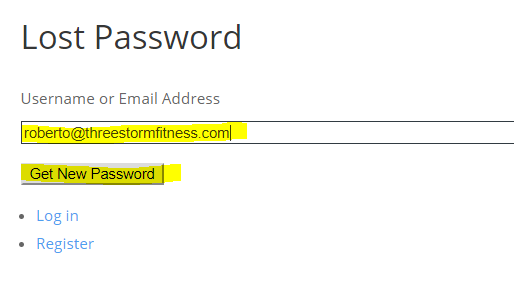
Enter your email address (same one you used to buy the course) and click “Get New Password”.
3: Check your email for a message with a Password Reset subject line. If you don’t see one within 10 minutes, check your spam folder. Click on the link within the email.
4: Set your password in both fields (make sure they match) and click Reset Password.
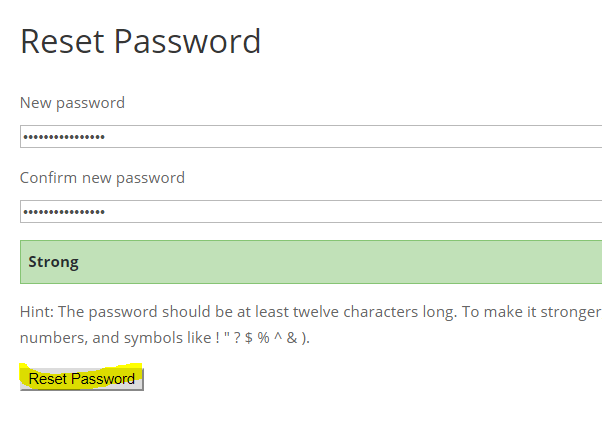
Set your password and click “Reset Password”.
5: You should be automatically taken to a login page (if not, click here). Enter your email address in the Username field and your new Password and click Login.
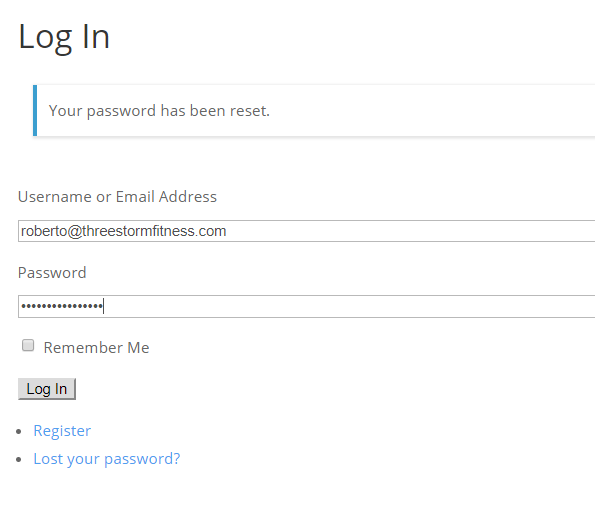
Enter credentials and click “Login”.
Access course profile page from user profile edit page
You can optionally update any additional information about yourself (e.g., First Name and Last Name). If you change anything in your profile, just make sure you click Update Profile at the bottom of the page. If you don’t wish to make any changes, scroll to the bottom of the page and click the course you enrolled in (you can access your course profile page at any time here).
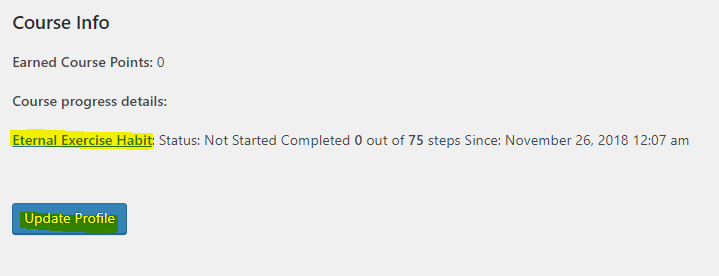
Click the course you’d like to access.
Have fun, and again, if you run into any problems, please contact us at support@threestormfitness.com.